100% FREE · OFFICIAL WINDOWS DOWNLOAD
Download MagzClicker
Download the latest version of MagzClicker, a free portable auto clicker for Windows. The executable is hosted directly in the official public GitHub repository.
Portable Windows auto clicker
MagzClicker does not require an installer. Download the EXE, run it and configure the click interval, mouse button, click type, optional click limit and button hold time.
New in MagzClicker 1.6
The new Hold (ms) setting lets you keep the mouse button pressed for 0–5000 milliseconds. Choose 0 ms for the original instant clicks, or try 50–100 ms for apps that sample the pressed-button state. A 100 ms hold can help some games register simulated clicks. This remains software-generated input, and compatibility depends on the application.
Verify the download
Official releases include a SHA-256 checksum so you can verify the downloaded executable.
Code signing policy
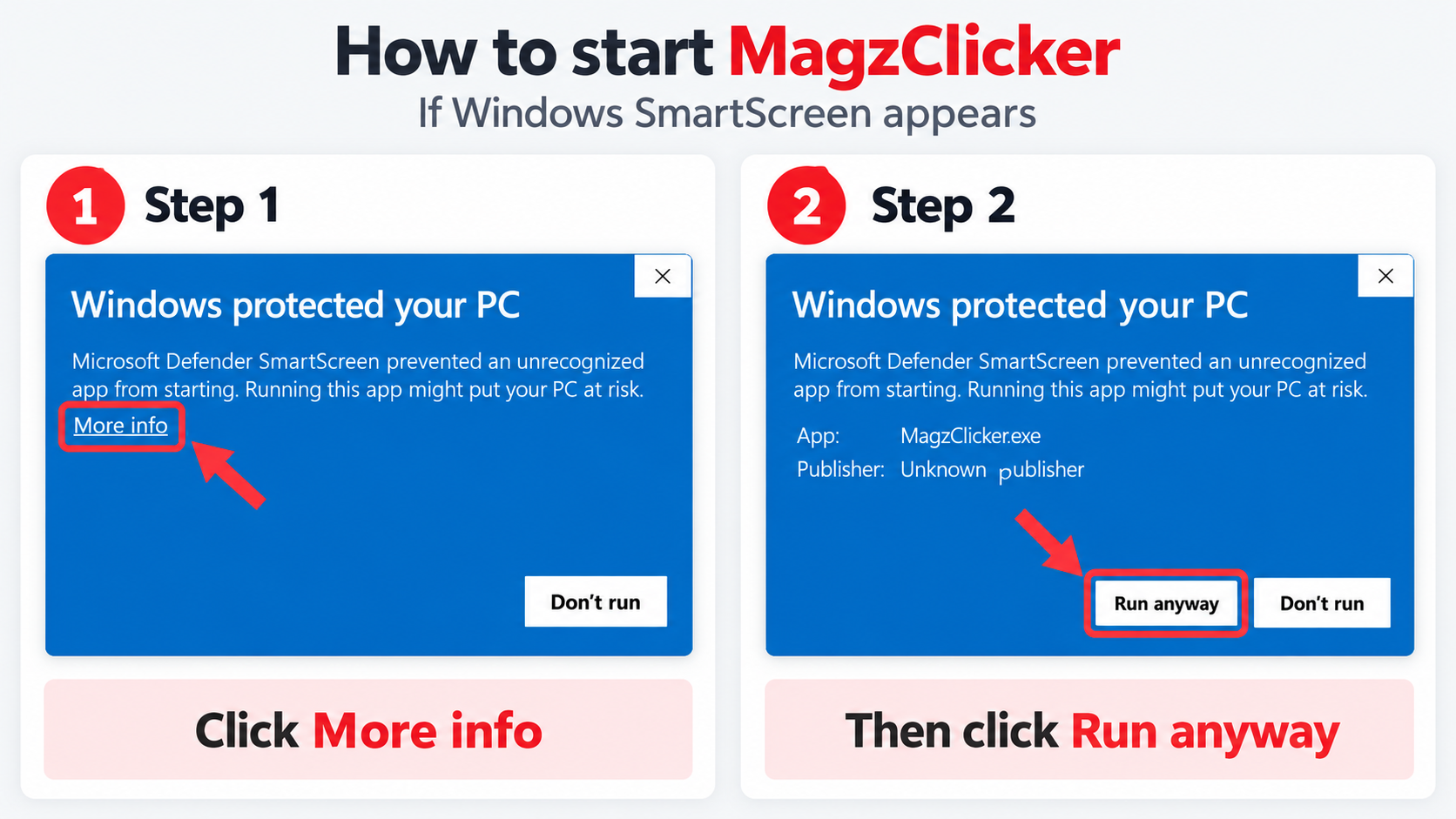
Starting MagzClicker when Windows SmartScreen appears
If Windows shows the Windows protected your PC message, click More info and then choose Run anyway to start MagzClicker.
Read the MagzClicker code signing policy.
Source code and previous releases
MagzClicker is open source. You can inspect the source code, release history and build files in the public GitHub repository.